Reset User Passwords
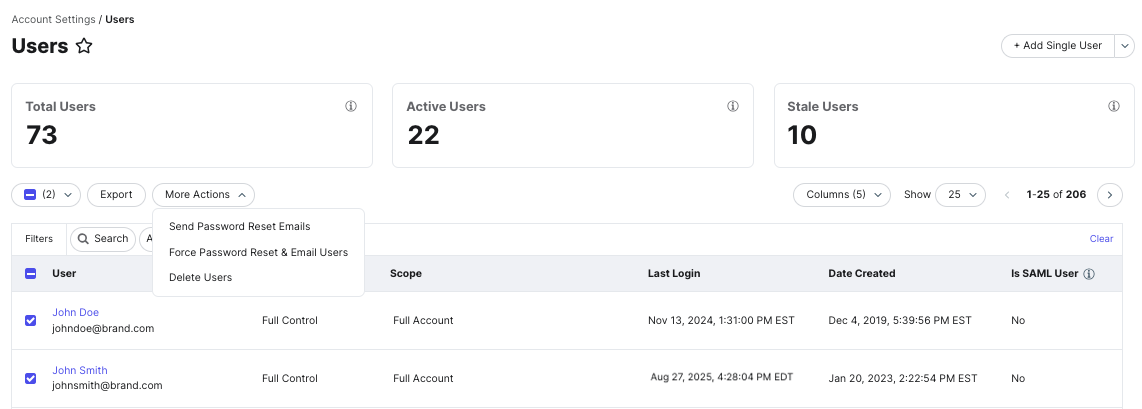
You can force users to reset passwords in bulk directly from the Users page. This is useful for security incidents, access changes, or routine credential hygiene.
There are two options available when resetting user passwords:
- Force a password reset and invalidate current passwords
- Send a password reset email without invalidating current passwords
Force a Password Reset and Invalidate Current Passwords
You can use this option when you need to ensure users can no longer sign in with their existing password and must create a new one. To do this:
Navigate to Account Settings > Users.
In the users table, select the checkbox next to one or more users.
Click More Actions.
Select Force Password Reset & Email Users.
Send Password Reset Emails
You can use this option if you want to send password reset emails without disabling existing passwords. To do this:
Navigate to Account Settings > Users.
In the users table, select the checkbox next to one or more users.
Click More Actions.
Select Send Password Reset Emails.
Comments
0 comments
Article is closed for comments.